STEP 4-DoD Civilian: DOD CIVILIAN ACTIVCLIENT 6.2.0.x INSTALLATION ASSISTANCE PAGE (Everyone other than DoD Civilian look here) |
||||||||||||||
PLEASE NOTE: I have not been able to find any specific place where DoD civilians or Army Retirees can download ActivClient. If you are a Civilian for a particular branch of the Military, visit the branch specific pages listed here. Retirees would not have a CAC unless they are a DoD civilian, DA civilian or contractor.
Windows 10 users click here for information on how to use your CAC on your computer.
Windows 8 users click here for information on how to use your CAC on your computer.
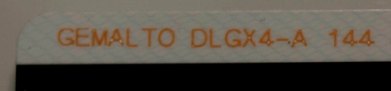
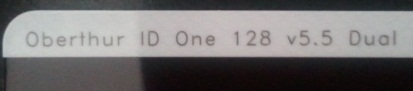
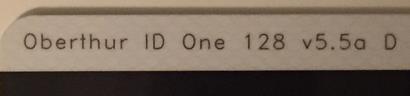
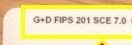
WINDOWS 10, 8.1, 8, & 7 USERS: If your CAC is a "GEMALTO TOP DL GX4 144," "GEMALTO DLGX4-A 144," "GEMALTO DLGX4 128Kv2," "Oberthur ID One 128 v5.5 Dual," "Oberthur ID One v5.5a D," "G&D FIPS 201 SCE 3.2," or "G+D FIPS 201 SCE 7.0" you "may" be able to use your CAC without needing to install ActivClient.Another guide to help figure out which CAC you have
Read more about the older CACs and how to replace them
Here are more options for you (if the above doesn't work)
If you are unsure whether you have a 32 or 64 bit version of Windows, here is how to find out:
Windows 7, 8 / 8.1, & Vista, Right click Computer, select Properties. Under System, System type you will see 32 or 64-bit.XP, Right click My Computer, select Properties. If it doesn't say 64 bit, you have a 32 bit Operating System.
|
||||||||||||||
If you have questions or suggestions for this site, contact Michael J. Danberry
Last Update or Review: Sunday, 03 April 2022 13:03 hrs
The following domain
names all resolve to the same website: ChiefsCACSite.com,
CommonAccessCard.us, CommonAccessCard.info, & ChiefGeek.us
|