STEP 4-Navy: NAVY ACTIVCLIENT INSTALLATION ASSISTANCE PAGE (Everyone other than Navy look here) |
||||||||||||||
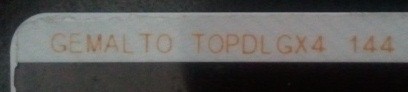
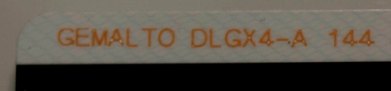
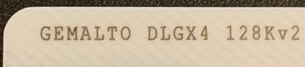
WINDOWS 8.1 & 10 USERS: If your CAC are one of the 7 shown below you "may" be able to use your CAC without needing to install any middleware.A guide to help figure out which CAC you have Read more about the older CACs and how to replace them
The Navy download sites below require you to login with your CAC
Windows 10 users click here for information on how to use your CAC on your computer.
Windows 8.1 users click here for information on how to use your CAC on your computer.
NAVY personnel have these options to get ActivClient (I wish it was easier for you to get the software):
1. Navy Reserve personnel with installation questions and troubleshooting can contact:
2. Contact your Information Technology (IT) personnel to get the software. The Command Information Assurance Manager (IAM) controls the licensing through the INFOSEC website.
3. Further questions can be sent to:
You may purchase ActivClient 7.1 (Works with Windows 7, 8, 8.1, & 10)
Navy specific issues:
Problem 2: There are several sites that don't want to work with your Mac any longer. I have found a way to make many of them work. Go to: https://militarycac.com/trustedcerts/ Download any of the sites you are having problems accessing. Go into your Keychain access and manually trust each of these. Now use Safari as your web browser.
Problem 3:
INFORMATION FOR APPLE MAC USERS ONLY
NOTE: For whatever reason, in order to access some of the Navy CAC-enabled sites, you must CANCEL when it first asks for your PIN. After canceling, you can then choose your certificate, and it will give you a second opportunity to enter your PIN. At this point, the PIN must be entered.
Information for NAVY personnel using Apple Computers: NROWS will not continue to the login page if it identifies your browser as non-compatible. This is easily fixed by having Safari report it "is" IE. Go to Safari->Preferences ->Advanced and ensure the "Show develop menu" check box is ticked. Now when you open NROWS and it gives the browser error, go to the Develop menu in the menu bar and select User Agent->Internet Explorer (any version 6.0 or greater) The "Unsupported" page will refresh, just hit the back button and voila, you're at the login screen. This works from the Navy Reserve Web site, or directly to the URL: https://nrows.sscno.nmci.navy.mil/nrows/
Here is a very helpful Navy specific page
Go to: https://militarycac.com/trustedcerts/ Download any of the sites you are having problems accessing. Go into your Keychain access and manually trusted each of these. Now use Safari as your web browser.
. |
||||||||||||||
If you have questions or suggestions for this site, contact Michael J. Danberry
Last Update or Review: Sunday, 03 April 2022 12:45
The following domain
names also resolve to the same website: ChiefsCACSite.com,
CommonAccessCard.us, CommonAccessCard.info, & ChiefGeek.us
|


 There are several
sites that don't want to work with your Mac any longer. I have
found a way to make many of them work.
There are several
sites that don't want to work with your Mac any longer. I have
found a way to make many of them work.